Your books, on a shelf that is yours.
Tendshelf is a free, open-source home server for the audiobooks and ebooks you own. Listen or read on your phone, your computer or the desktop app, and pick up exactly where you left off, for everyone in your house.
- Free software, AGPL-3.0
- No account with us
- No telemetry, no tracking


One server, every screen in the house
- AndroidApp for phones and tablets
- LinuxDesktop app and server
- Any browserNothing to install
- iPhone and iPadIn Safari, not yet tested
- MacAny browser, no app yet
- WindowsAny browser, no app yet
Listen
A player that feels better than the one you paid for.
Every comfort you expect, done carefully, and it never loses your place.
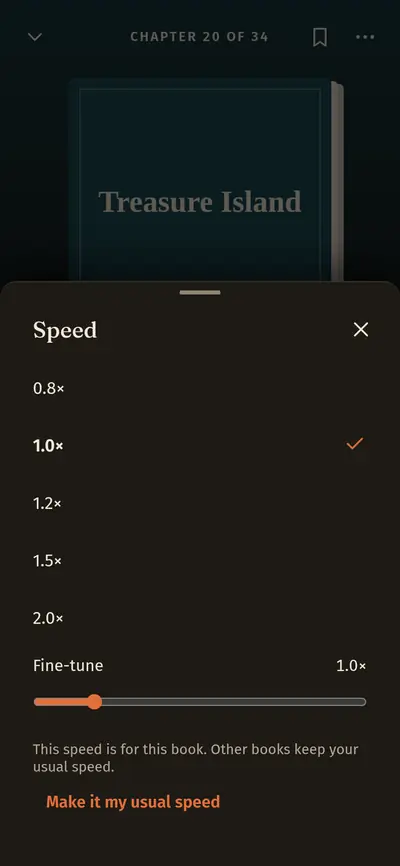
- Speed from 0.5× to 3× in small steps, with the voice kept natural.
- A sleep timer that fades out, by minutes or at the end of a chapter. Shake to add ten more.
- A short rewind after a break, so you always know where you are. Jumped too far? There is a way back.
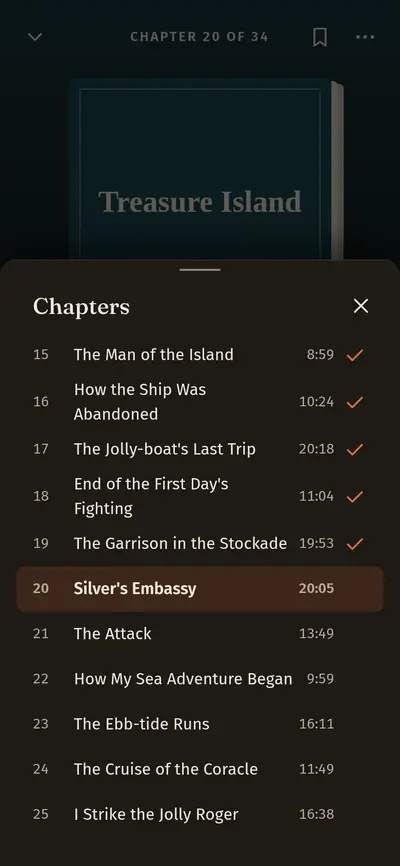
- Chapters, waveforms and bookmarks, plus an Eyes-free mode with big buttons for the car.
Read
One book, two formats, never two libraries.
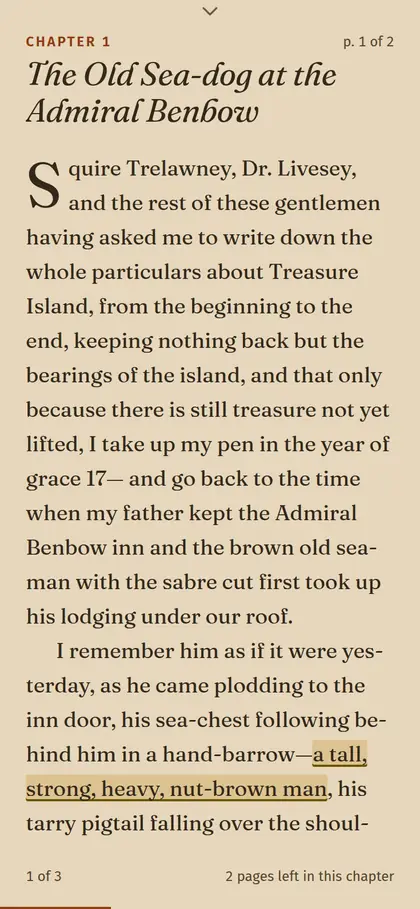
Drop the ebook beside the audiobook and Tendshelf joins them into one book, with one button for whichever you used last. Read on the train, listen on the walk home. Each keeps its own place. Or have the book read aloud with a voice already on your device, so its text never leaves it.
- Pages or scrolling, in four type sizes and the type you choose. It follows your browser's text size, with dark, light, sepia and high contrast themes and a dyslexia-friendly font.
- Highlights in four colours and notes, all in one place, with search and Markdown downloads.
- Footnotes and look-up in dictionaries you add, with a word list to keep.

Library
A shelf that tidies itself, and keeps count.
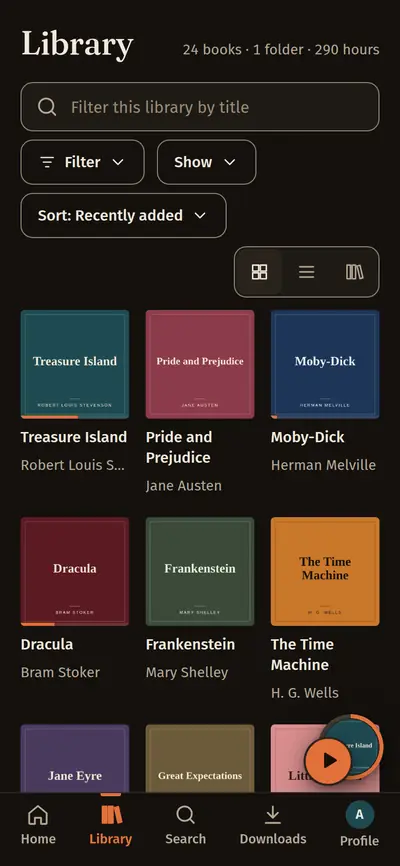
Point Tendshelf at your folders. New books appear by themselves, with covers, chapters and details looked up for you, and your own listening is yours to look back on.
- Watch for new books. Drop a file in a folder and it shows up on the shelf.
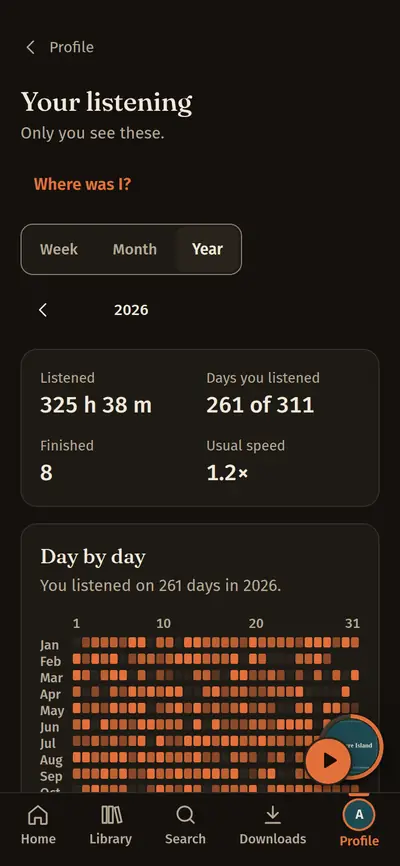
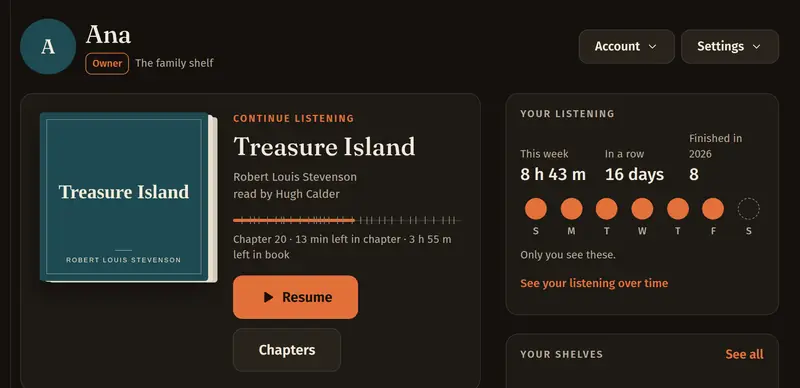
- Time listened and pages read, in a dashboard that is only about you.
- A history with a way back. “Where was I?” takes you to any moment, and clips keep the parts you love.
Family
Share a book by sending a link, not by explaining a server.
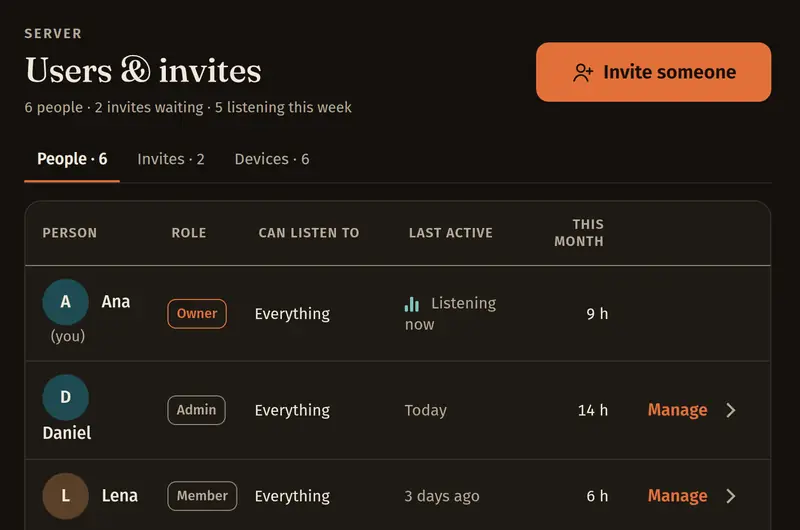
Invite the people you love. Each gets their own place, shelves and statistics, and only the books you choose. Lend one book to a friend with a link that ends when the loan does.
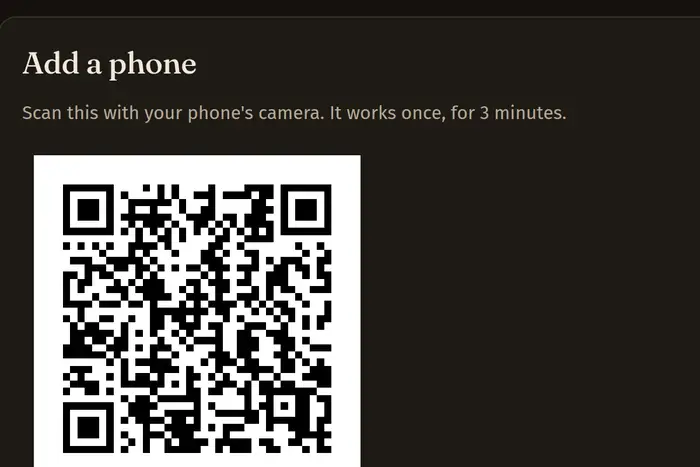
- Add a phone with a QR code. No password typed on a tiny keyboard. The code works once, for three minutes.
- Listener, Member, Contributor, Admin and the Owner, so everyone gets exactly what they need.
- Sign-in links for anyone who forgot a password, or never chose one.
And everything around it
Built to be lived with, for years.
Never lose your place
Saved every few seconds and on every pause. Switch devices and it asks if you want to continue where the other one stopped.
Offline, on the plane
Download a book, audio and text, and it plays like nothing happened. Offline needs your server to use HTTPS.
Details you can fix
A chapter editor with online look-up, duplicates you can merge, and a library health page that shows what needs a look.
Private by design
No telemetry, no tracking. It goes online only when you ask it to look up a book or a cover, and then it sends only the title, author, ASIN or ISBN.
Up next, your way
Play next and Add to queue, and a speed that is remembered for each book.
Safe with your files
Your files stay where they are. Verified backups to a drive you choose, and nothing is written into a file unless you ask.
Open on the outside
Private podcast feeds for your podcast app, an OPDS catalogue for ebook readers, a JSON API, and a sync server for KOReader (not yet tried with a real KOReader).
Made for everyone
Four themes, readable in sunlight and at night. Checked with a keyboard and automated tests for contrast, focus and 200 % text.
- The next book downloads on its own over Wi-Fi, on Android
- The next book plays with no connection, on Android
- A home screen widget, on Android
Self-host
Up and running before your tea gets cold.
One small program with its database built in. It runs happily on a mini PC, a NAS or a spare laptop, and needs ffmpeg and nothing else.
- 1Download one fileFor Linux on Intel, AMD or ARM, checked against its checksum.
- 2Start it and open the setup linkName your server, create your account and choose the folder with your books.
- 3Watch the covers flow inThen invite your family and add their phones.
$ sudo apt install ffmpeg
$ sha256sum -c SHA256SUMS --ignore-missing
tendshelf-v2026.6.0-linux-amd64: OK
$ chmod +x tendshelf-v2026.6.0-linux-amd64
$ ./tendshelf-v2026.6.0-linux-amd64 -addr 0.0.0.0:8095
time=... level=INFO msg=listening addr=http://0.0.0.0:8095 version=v2026.6.0
time=... level=INFO msg="first run: open this link to create the owner account" url=http://localhost:8095/setup?code=XXXXX-XXXXX
time=... level=INFO msg="from another computer, replace localhost in that link with this machine's address"- No Node.js. Nothing to install but ffmpeg.
- Works with Tailscale and any HTTPS proxy
Download
Take your shelf with you.
The server holds your books. The apps are how your family listens. Everything here is free software.
Open source
No ads, no catch. Just people who love books.
Tendshelf is free software with no paid tier. It gets better when the people who use it say what works and what does not. Report a problem, write some code, tell a friend with a hard drive full of audiobooks, or give it a star.
Questions, answered plainly
Is it really free?
Yes. Tendshelf is free software under the GNU AGPL, version 3. There is no paid tier, no account with us and nothing locked away.
Which books can I use?
Audiobooks and ebooks you own without copy protection: files bought DRM-free, CDs you ripped, library and public-domain recordings. Ebooks can be EPUB, PDF with a text layer, TXT, Markdown, DOCX, HTML, FB2, MOBI or AZW3. Copy-protected files are refused, never opened.
Do I need to be technical?
The person who sets up the server should be comfortable starting a program. Everyone else just opens a link or scans a code, taps a cover, and listens.
Does it send anything about me anywhere?
No. There is no telemetry and no tracking. The server goes online only when you ask it to look up a book or a cover, and then it sends only the title, author, ASIN or ISBN.
Can I use it on an iPhone?
Open your server in Safari and choose Add to Home Screen. We have not yet tested it on an iPhone, so tell us how it goes. There is no iPhone app yet.
How is it different from Audiobookshelf or Audible?
Like Audiobookshelf, it runs on your own machine. It puts ebooks and audiobooks together as one book, has a full reader with highlights and notes, and is one small program with no Node.js. Unlike Audible, the books and the server are yours.